OneVision’s new 26.1 software update introduces important enhancements for commercial and wide format printing, and much more. The new version also focuses on AI-powered automation and expanded hardware connectivity.
A major premiere is the introduction of the intelligent, automatic imposition solution AImposition. With AImposition, OneVision introduces a new concept for creating imposition templates. The goal is to significantly simplify sheet imposition and enable even users without in-depth knowledge of imposition processes to create templates intuitively. Using a visual wizard, imposition templates can be configured step by step and flexibly adapted to different production requirements.
The templates created can then be used directly within OneVision workflows. This supports fully automated imposition in both digital and offset printing and makes the overall production process more efficient.
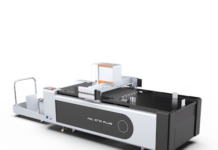
With version 26.1, new dashboards enable the free combination of various data sources such as running jobs or the workload of workstations in clear time-series charts. A further expansion of integration capabilities is the new connection to Matic Helios Server and Cutter. These can now be controlled directly, while status information and server details are available in real time.
In addition to speed, automation, and reproducibility, OneVision is increasingly relying on artificial intelligence in the field of image processing. The new Amendo AI Upscale module uses AI to scale images by 200% or 400%. In the retouching function, a new feature for reducing facial skin shine is also available.
Further Developments For Wide Format Printing
– Processing Step Support: Use of ‘Processing Step’ information in nesting, trimming, and cut-line modules.
– Optimised Nesting: New function for merging cut lines when no bleed is required.
– Layer Management: Direct renaming of layers in the ‘Colours and Layers’ module.
– VDP Improvements: More reliable data matching through optimised header information.
ONEVISION
https://www.onevision.com/